Skip to content

A mortgage affordability calculator is one of the first tools any homebuyer should use. Before you visit a lender, tour a property, or even browse listings, knowing your housing budget analysis gives you a realistic starting point and saves time throughout the buying process.
The challenge is that calculators vary widely. Some give you a simple number based on income alone. Others factor in debts, property taxes, insurance, and current interest rates to produce a more accurate picture of your actual borrowing power. Understanding what goes into the calculation — and how to use the results — makes a significant difference.
This guide explains how mortgage calculators work, which inputs matter most, how to compare the best tools from Zillow, Bankrate, NerdWallet, and Rocket Mortgage, and what to do with your results before applying for a loan.
What Is a Mortgage Affordability Calculator?
A mortgage affordability calculator is a digital tool that estimates the maximum home price or loan amount a borrower can qualify for based on their financial profile. It helps buyers understand their housing budget before approaching a lender. The main purpose is to give borrowers a realistic sense of their borrowing power so they can shop for homes within their actual financial reach.
These calculators are offered by lenders, real estate platforms, and government-affiliated organizations including the Consumer Financial Protection Bureau (CFPB). While results are estimates — not guarantees — they give buyers a solid baseline before starting the pre-approval process.
How Does a Mortgage Affordability Calculator Work?
Most calculators take a set of financial inputs and apply standard lending ratios to estimate a safe borrowing limit. The core math is based on two key ratios used by lenders and agencies including Fannie Mae and Freddie Mac:
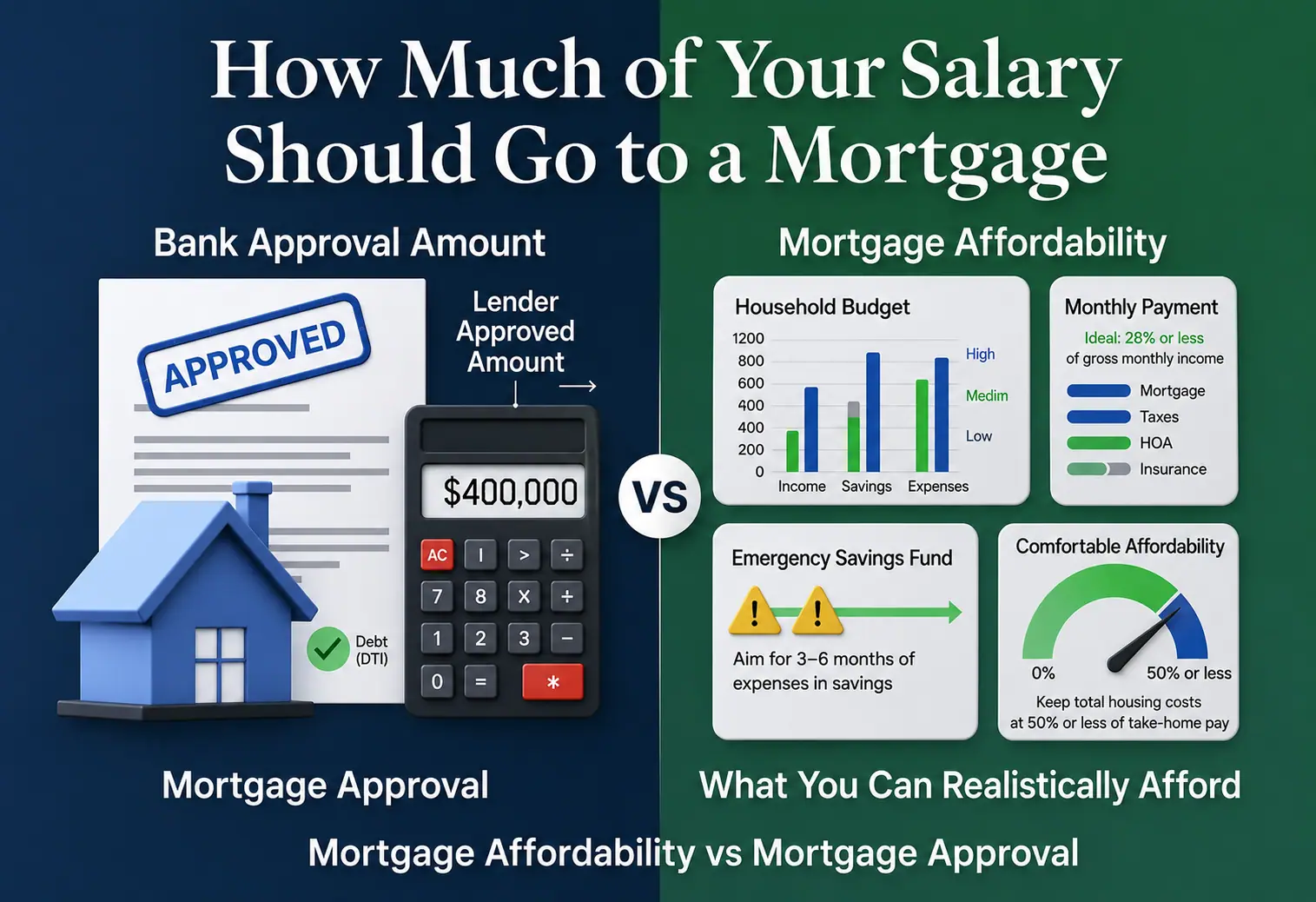
- Front-end ratio (housing expense ratio): Monthly housing costs should not exceed 28% of gross monthly income.
- Back-end ratio (financial debt load): Total monthly debt payments — including the mortgage — should not exceed 36% to 43% of gross monthly income.
Together these limits are known as the 28/36 rule, and you can test your own numbers with our 28/36 rule calculator. The calculator uses your inputs to estimate a monthly payment that fits within these ratios, then works backward to determine the home price that generates that payment at a given interest rate and loan term.
Key Inputs Most Calculators Require
- Gross monthly income (before taxes)
- Monthly debt payments (car loans, student loans, credit cards)
- Down payment amount or percentage
- Estimated interest rate or credit score range
- Loan term (typically 15 or 30 years)
- Property taxes and homeowners insurance (estimated)
- HOA fees if applicable
More advanced calculators from platforms like Zillow, Bankrate, and NerdWallet also factor in private mortgage insurance (PMI) for down payments under 20%, escrow account management estimates, and local tax data to give more accurate results.

How to Use a Mortgage Affordability Calculator: Step by Step
- Gather your financial documents. Before entering any numbers, collect your recent pay stubs, tax returns, and a list of all monthly debt obligations.
- Enter your gross monthly income. Use your pre-tax income from all verified sources — salary, freelance, rental income, or other documented earnings.
- Input your monthly debts. Add minimum monthly payments for all recurring debts: car loans, student loans, credit card minimums, and personal loans. Do not include utilities or groceries.
- Enter your down payment. Use the actual amount you have saved. A higher down payment reduces your loan amount, lowers your monthly payment, and may remove PMI.
- Set your loan term and interest rate. Choose 15 or 30 years. Enter a rate based on your credit score range, or use the calculator’s current market rate estimate.
- Add property taxes and insurance. Use the calculator’s estimates or research local property tax rates and request insurance quotes for a more accurate figure.
- Review the results. The calculator will show a maximum home price, estimated monthly payment, and sometimes a breakdown of principal, interest, taxes, and insurance (PITI).
- Adjust inputs to stress-test your budget. Try raising the interest rate by 1% or reducing your down payment to see how your affordability changes. This helps you understand your sensitivity to rate changes.
- Use results as a starting point. Take the calculator output to a lender for a formal pre-qualification or mortgage pre-approval process. The lender will verify all inputs with documentation.
Comparing the Best Mortgage Affordability Calculators
Not all calculators are built the same. The depth of inputs, accuracy of defaults, and quality of explanations vary significantly. Here is how the most widely used tools compare:
| Calculator | Provider | Taxes/Insurance | DTI Ratio Shown | Best For |
| Zillow | Zillow | Yes (local data) | Yes (front & back) | Buyers wanting local tax estimates and a visual breakdown |
| Bankrate | Bankrate | Yes (editable) | Yes | Borrowers who want to adjust every variable manually |
| NerdWallet | NerdWallet | Yes (estimated) | Yes | Beginners who want a guided, easy-to-read result |
| Rocket Mortgage | Rocket Mortgage | Yes | Partial | Buyers ready to move toward pre-approval quickly |
| CFPB Tool | CFPB | Basic | Educational | Beginners wanting unbiased, government-backed guidance |
Key Terms You Will See in a Mortgage Affordability Calculator
Gross Monthly Income
This is your total household income before taxes and deductions. Lenders use gross income — not take-home pay — as the baseline for all affordability calculations. If you are self-employed, lenders typically average two years of net income from tax returns.
Front-End and Back-End Ratio
The front-end ratio (also called the housing expense ratio) compares your monthly housing costs to your gross income. The back-end ratio compares all monthly debts to gross income. Most conventional lenders follow Fannie Mae and Freddie Mac guidelines allowing back-end ratios up to 45-50% for strong applicants.
Debt Service Coverage and Financial Debt Load
Debt service coverage refers to how well your income covers your total debt obligations. A high financial debt load — meaning too many existing debts relative to income — directly reduces your borrowing power in any affordability calculator.
Principal and Interest (P&I)
Principal and interest are the two core components of your mortgage payment. The principal is the amount you borrowed; the interest is the lender’s fee for the loan. Most calculators show P&I separately from taxes and insurance so you can see the full PITI picture.
Escrow Account Management
Many lenders require an escrow account to collect property taxes and insurance premiums monthly as part of your mortgage payment. Calculators that include escrow give a more accurate picture of your true monthly housing cost.
Pre-Approval vs. Pre-Qualification
Pre-qualification is a quick estimate based on self-reported information — similar to what a calculator provides. Pre-approval involves a full credit check and income verification. Only a pre-approval letter gives sellers and agents confidence in your borrowing power.
How Government Loan Programs Affect Calculator Results
FHA Loans (Federal Housing Administration)
FHA-insured loans allow debt-to-income ratios up to 43% — and sometimes higher with compensating factors. They also accept down payments as low as 3.5% for borrowers with credit scores of 580 or above. Entering FHA-compatible inputs in a calculator typically produces a higher affordable home price compared to conventional loan settings.
VA Loans (U.S. Department of Veterans Affairs)
VA loans have no official debt-to-income limit but lenders generally require a residual income that meets the U.S. Department of Veterans Affairs guidelines. VA loans also require no down payment for eligible borrowers and carry no PMI, which significantly increases your borrowing power in a calculator.
Conventional Loans (Fannie Mae and Freddie Mac)
Conventional loans following Fannie Mae or Freddie Mac guidelines generally allow back-end ratios up to 45-50% for automated approvals. Borrowers with strong credit and low debt may qualify for higher loan amounts under these programs than FHA loans allow.
Practical Example: Running the Numbers
Here is a sample scenario using standard calculator inputs:
- Gross monthly income: $7,500
- Monthly debts: $500 (car payment + student loan minimums)
- Down payment: $30,000 (about 10%)
- Estimated interest rate: 7.0% (30-year fixed)
- Property taxes and insurance: estimated $400/month
Front-end budget (28%): $7,500 x 0.28 = $2,100/month for housing.
Back-end check (36%): $7,500 x 0.36 = $2,700 total debt allowed. Minus $500 existing debts = $2,200 available for mortgage PITI.
The tighter of the two limits is $2,100. After subtracting $400 for taxes and insurance, roughly $1,700 is available for principal and interest. At 7% over 30 years, this supports a loan of approximately $255,000, or a home purchase price of around $285,000 with the $30,000 down payment.
Results will vary based on your actual credit score, local taxes, HOA fees, and lender-specific criteria. Always verify with a lender.
Common Mistakes When Using a Mortgage Affordability Calculator
- Using Take-Home Pay Instead of Gross Income
Lenders use gross (pre-tax) income, not your net paycheck. Entering your take-home pay will underestimate your affordability and produce a lower home price than you may actually qualify for.
- Forgetting All Debt Payments
Calculators only work with what you enter. If you forget a car loan, subscription financing, or a co-signed debt obligation, your back-end ratio will appear lower than it actually is — and the lender’s result will differ from the calculator’s.
- Ignoring Property Taxes and Insurance
Calculators that skip taxes and insurance give an incomplete picture. In many markets, property taxes and homeowners insurance can add $400 to $800 or more per month to the true cost of ownership, significantly reducing how much home you can afford.
- Using Best-Case Interest Rates
Some calculators default to low interest rates. If your credit score is below 740, you will likely receive a higher rate than the default. Always enter a rate that reflects your actual credit profile for a realistic affordability estimate.
- Treating Calculator Results as a Loan Approval
A calculator output is not a commitment or a guarantee. The pre-approval vs. pre-qualification distinction matters: only a verified pre-approval — based on documentation reviewed by an underwriter — gives you confirmed borrowing power.
- Not Accounting for Closing Costs
Closing costs typically range from 2% to 5% of the loan amount and are paid at closing. If your entire savings go toward the down payment, you may not have enough to cover closing costs, which affects your actual buying ability.
- Ignoring PMI on Low Down Payments
If your down payment is under 20%, most conventional loans require private mortgage insurance (PMI). PMI typically adds 0.2% to 2% of the loan amount per year to your payments. Calculators that exclude PMI will understate your true monthly cost.
Decision Guide: How to Use Your Calculator Results
This May Make Sense If…
- Your calculator result shows a home price well within your target range and leaves room for taxes, insurance, and maintenance.
- Your monthly housing payment is below 28% of gross income even with taxes and insurance included.
- Your existing debts are low enough that the mortgage fits comfortably within a 36% back-end ratio.
- You have funds remaining after the down payment to cover closing costs and a 3-to-6-month emergency reserve.
This May Not Be the Right Time If…
- The calculator result requires stretching to your maximum debt-to-income ratio with little financial buffer.
- Your income is irregular, recently changed, or relies heavily on bonuses that lenders may not count in full.
- Your credit score is significantly below 700, which may push your actual interest rate higher than the calculator’s default.
- Your down payment covers the home price but leaves nothing for closing costs, repairs, or moving expenses.
Compare These Factors Before Deciding
- Run the same inputs across at least two or three different calculators — Zillow, Bankrate, and NerdWallet — to compare results.
- Try adjusting your down payment and interest rate by realistic amounts to understand how sensitive your budget is to changes.
- Compare conventional, FHA, and VA loan scenarios if you are eligible for government-backed programs.
- Use calculator results as a conversation starter with a mortgage lender rather than a final decision.
Conclusion :
A mortgage affordability calculator is the fastest way to get an honest picture of your housing budget before you speak with a lender or step foot in an open house. By entering your gross monthly income, monthly debts, down payment, and interest rate estimate, you can quickly understand your borrowing power and identify any gaps in your financial preparation.
The best calculators — from Zillow, Bankrate, NerdWallet, and Rocket Mortgage — go beyond a simple number. They show your front-end and back-end ratios, factor in property taxes and escrow account management, and help you understand how changes in your inputs affect your results. The Consumer Financial Protection Bureau’s tool adds an unbiased, educational layer for first-time borrowers who want government-backed guidance.
Use these tools to stress-test your budget, compare loan scenarios from FHA, VA, Fannie Mae, and Freddie Mac programs, and set realistic expectations before entering the pre-approval process. A calculator result is a starting point — the lender’s pre-approval letter is the finish line.